Functions
Functions are designed to process data in Jitsu before it is sent to the destination. These functions, written in JavaScript, provide various data handling options:
- Filter - Exclude data that fails to meet your specified criteria.
- Transform - Modify data to fit the schema of your destination.
- Enrich - Add extra information to the event.
In addition, Functions are supported by a runtime environment that includes several built-in services:
- Persistent Storage - Maintain data between different function calls.
- Logging - Log messages and access them later in Live Events.
- Fetch API - Perform HTTP requests to third-party services.
- Warehouse API - Query your data warehouses.
Quick intro
export default async function transform(event, context) {
   //
}eventis a first arguments of a function. It contains an event object that is being processedctxis a second argument, the function context. I contain various services that can be used in the functionctx.log- logging servicectx.store- persistent storagectx.fetch- a standard fetch API to make HTTP requestsctx.getWarehouse- warehouse API to query your data warehousesctx.geo- geo information about the event based on IPctx.ua- parsed user agentctx.headers- incoming HTTP headers if event came through HTTP APIctx.destination- destination objectctx.source- where event came from. Includesid— source id,type— ingest type (browserors2s)
- The full specification of ctx object can be found in
functions.d.ts
See a full spec of what you can use functions on Functions Runtime Page
Here's a simple example that enriches event with geo information, and parsed user agent.
export default async function transform(event, context) {
  if (!event.properties) {
    //initialize event properties object, just to be safe
    event.properties = {}
  }
  //copy geo and parsed user agent to event properties
  event.properties.geo = context.geo
  event.properties.ua = context.ua
  //always return a modified event
  return event;
}
Function return value controls what happens with event after function execution:
- If function returns nothing, the original event will be used.
- If function returns an object, it will be used as a new event.
- If function returns magic string
"drop", event will be ignored and won't be sent to the destination.
See a full spec of what function can return.
Debugging
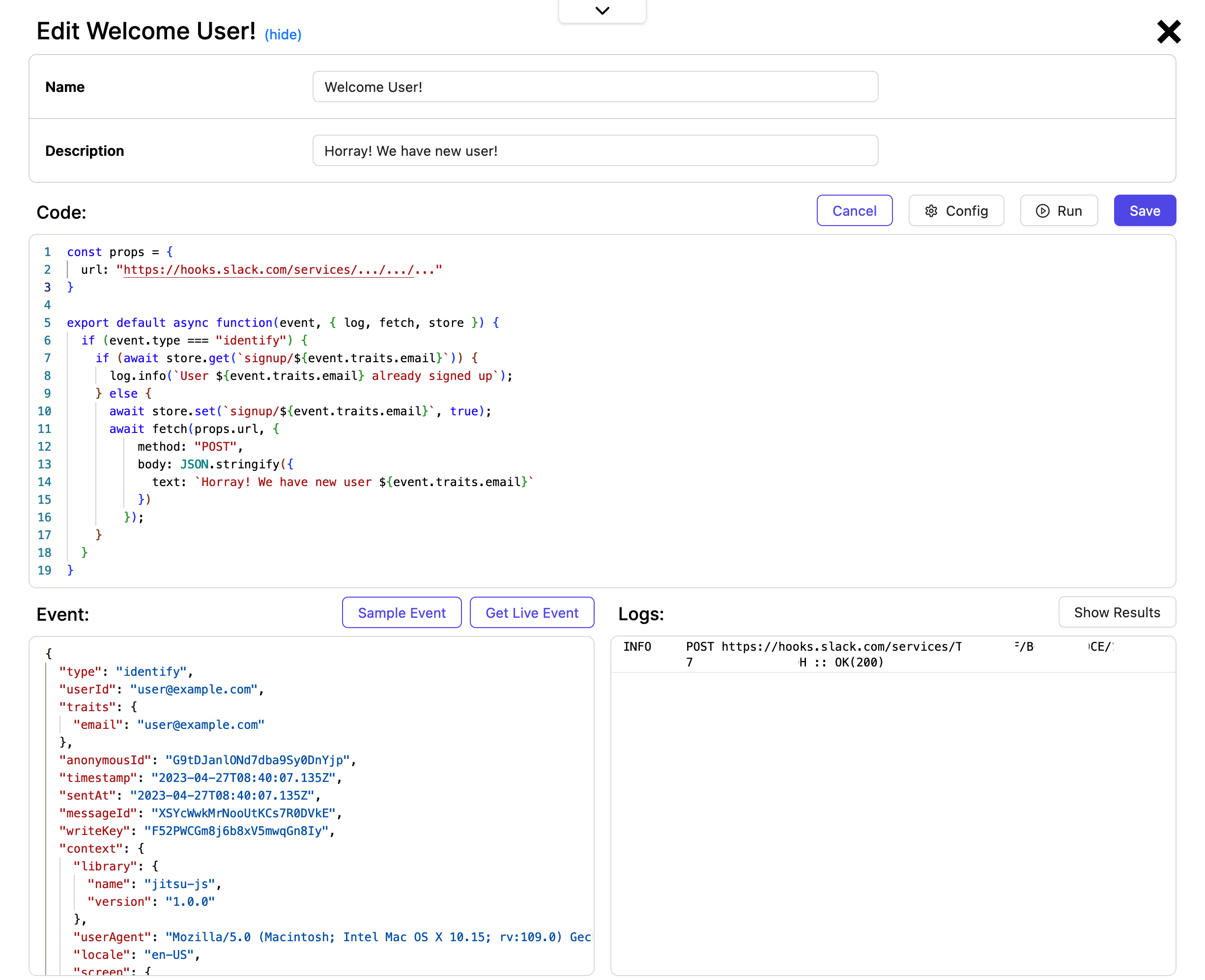
Jitsu comes with a functions debugger/editor that allows to run function on a sample data
Function examples
See a few examples of how to use functions to filter, transform, and enrich data.
Filter
export default async function transform(event, { log, props, store }) {
  //drop events coming from integration tests
  if (event.userId === "integration-tests") {
    return "drop";
  }
}To ignore event, return magic string "drop" from the function. If function returns an object, it will be used as a new event.
cIf function returns nothing, the original event (or it's modified copy) will be used.
Transform
export default async function transform(event, { log, props, store }) {
  //normalize event type
  if (event.type === "page_view" || event.type === "pageview" || event.type === "pageView") {
    event.type = "page";
  }
  return event;
}
Change destination table
To change destination table for specific event, you need to add a special property named JITSU_TABLE_NAME to the resulting events with a new table name.
export default async function transform(event, { log, props, store }) {
    //change table name to "new_table"
    event.JITSU_TABLE_NAME = "new_table";
    return event;
}
Enrich
GeoIP enrichment example:
// Enriches event with Geo IP using https://ip-api.com/ service
// For non-commercial use only
export default async function(event, { log, fetch }) {
    try {
        const url = `https://ip-api.com/json/${event.context.ip}`
        const result = await fetch(url)
        if (result.ok) {
            let json;
            json = await result.json();
            if (json.status === "success") {
                // remove status fields
                delete json.query
                delete json.status
                // add geo information to context
                event.context.geo = json
                return event
            } else {
                log.error(`GeoIP status: ${json.status}: ${json.message}`)
            }
        } else {
            log.error(`Failed to fetch GeoIP data ${url}: ${result.status} ${result.statusText}`)
        }
    } catch (e) {
      log.error(`Failed to fetch response from ${url}: ${e?.message}`);
    }
}
Functions Runtime
See a full spec of what you can use functions on Functions Runtime Page